
3 steps to access IT services
One IT Serving One JSU — set up your JSU Google email, enroll a device in DUO Security, and activate your NetID password.
3 Steps to Access IT Services
One IT Serving One JSU
Access your JSU Google Email Account

Access your JSU Google Email Account.
Open your browser and navigate to www.gmail.com
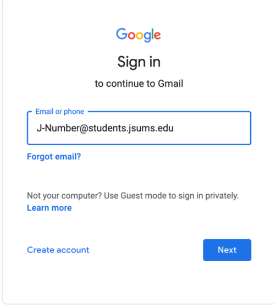
Enter your J-Number@students.jsums.edu in the Email or phone dialog box then press the Enter key or click the Next button
NOTE: Faculty/Staff would enter J-Number@jsums.edu
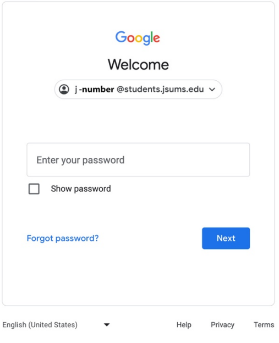
Enter your default password. Your default password is your 8-digit date of birth (mmddyyyy).
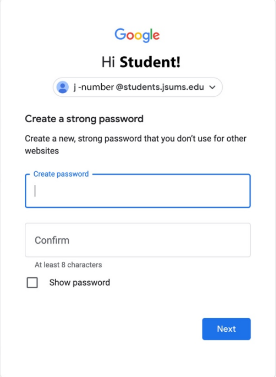
You will be prompted to change your default email password.
Enter your new (15) character password in both boxes then click the Next button.
NOTE: Your (15) character email password should include:
- At least one capital letter
- Special Character (!$%@#^&*,+?><)
Avoid using your name, social security number, date of birth, or J-Number.
Examples: GO!!!Tiger092022, tiGer@09Roc%Special, t1geR@DTD9@#Djmj, tIger09!MonkYour
Enroll your Android or Apple device(s) in DUO Security

Enroll your Android or Apple device(s) in DUO Security
Check your JSU Email for the enrollment invitation. IF you do not see the invitation, please call our Cyber Security department at 601-979-6400/0245.
See the image just below for a sample of the DUO enrollment email.
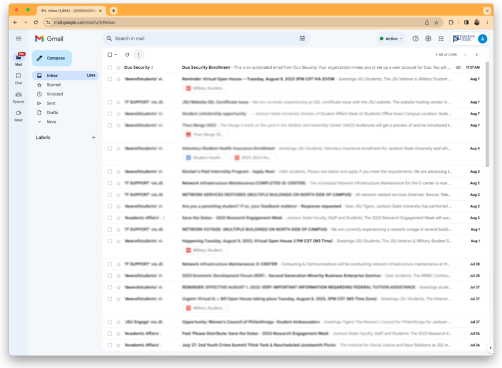
You will receive an email from Duo Security with a subject of Duo Security Enrollment.
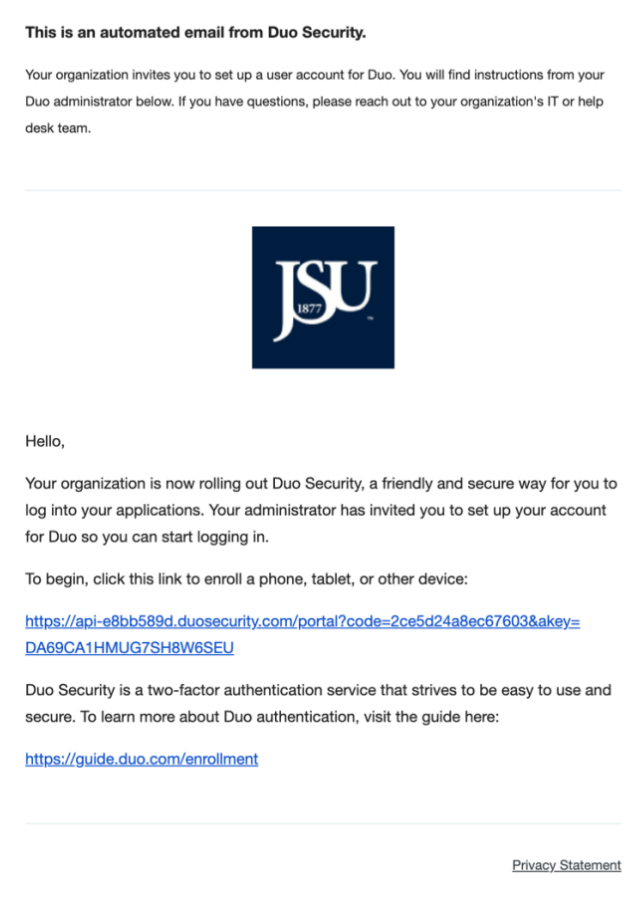
This is a sample email sent by the Division of Information Technology. Click the link to begin the enrollment process.
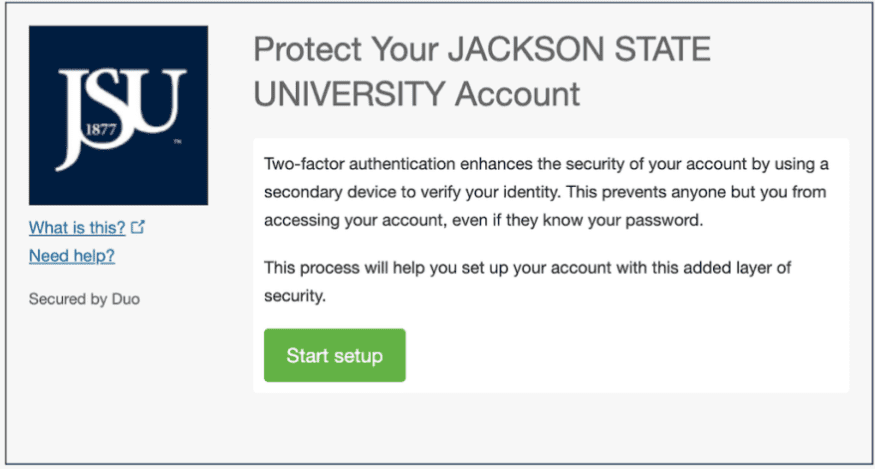
Click the Green Start Setup button.
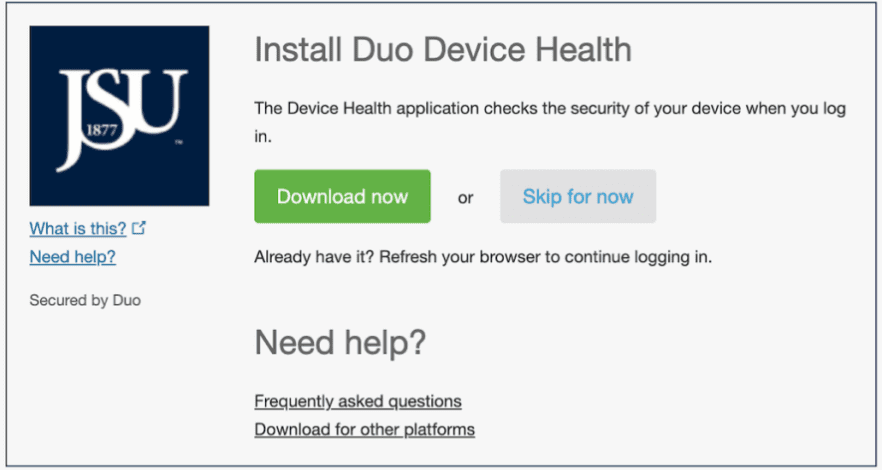
Click the Skip for now button.
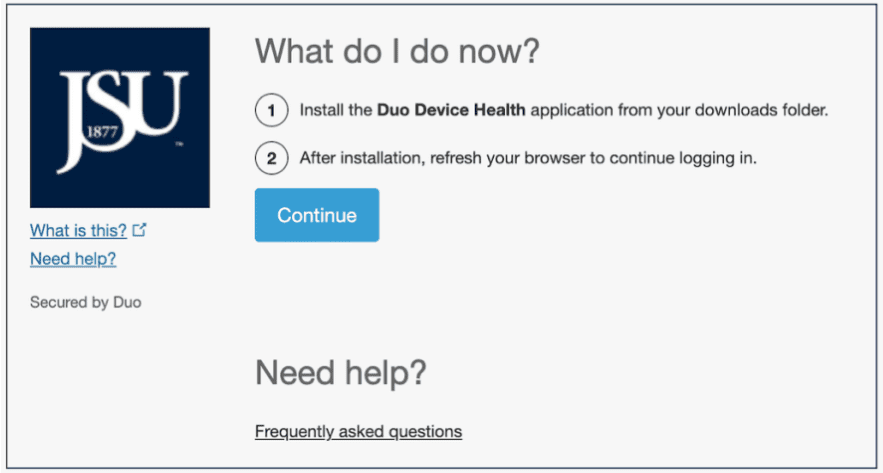
Click the Continue button.
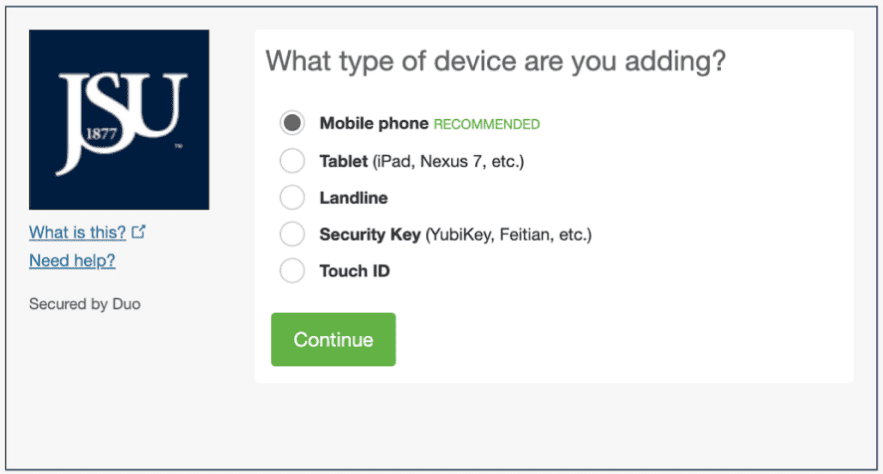
Click the Green Continue button.
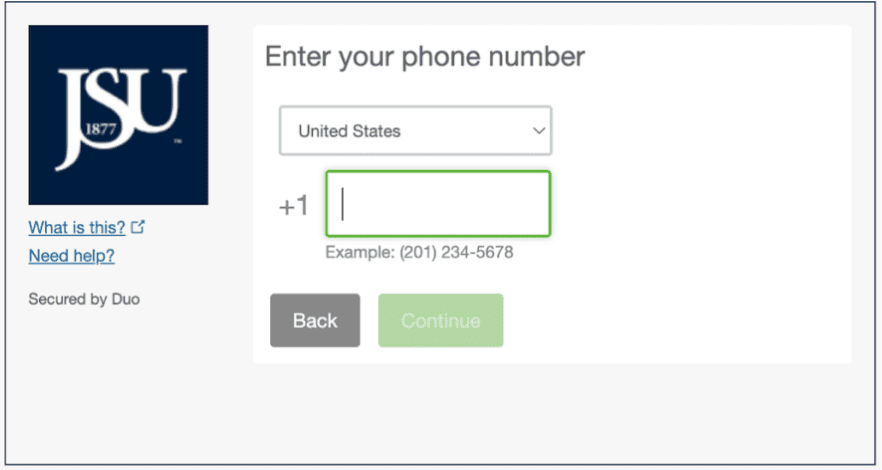
Enter your mobile number.
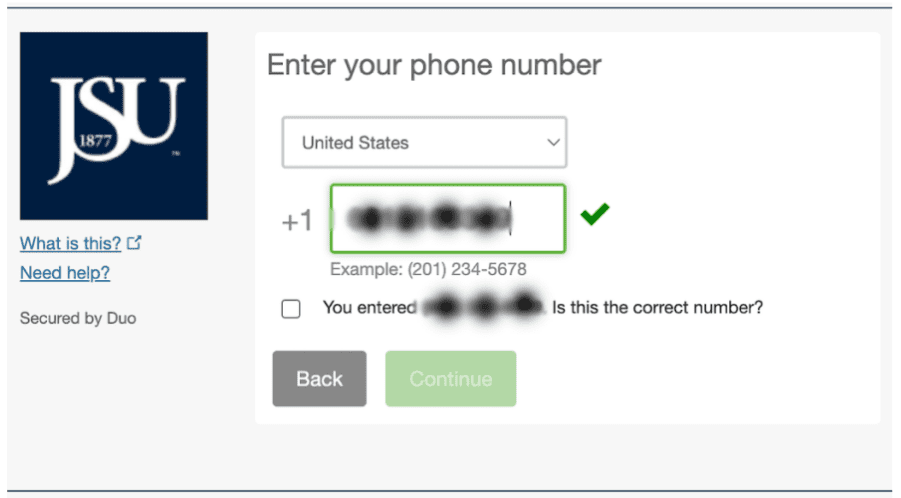
After you enter your mobile number, check the box underneath.
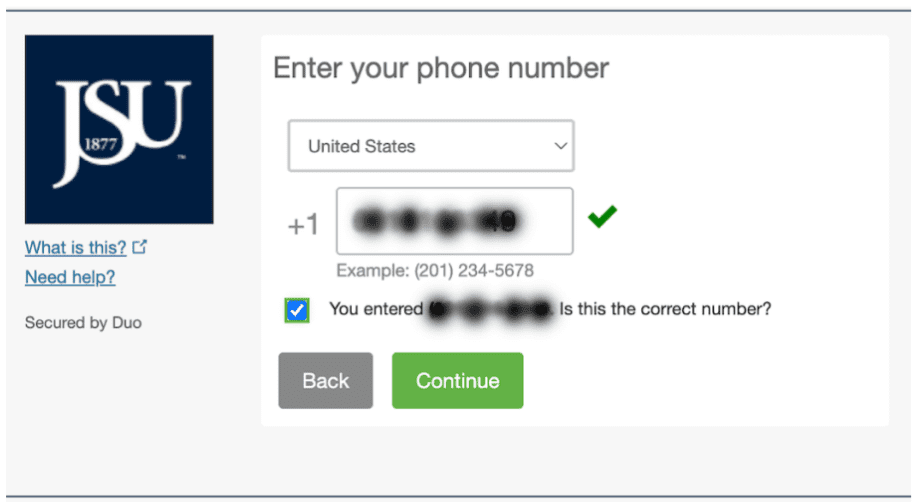
Click the Green Continue button.
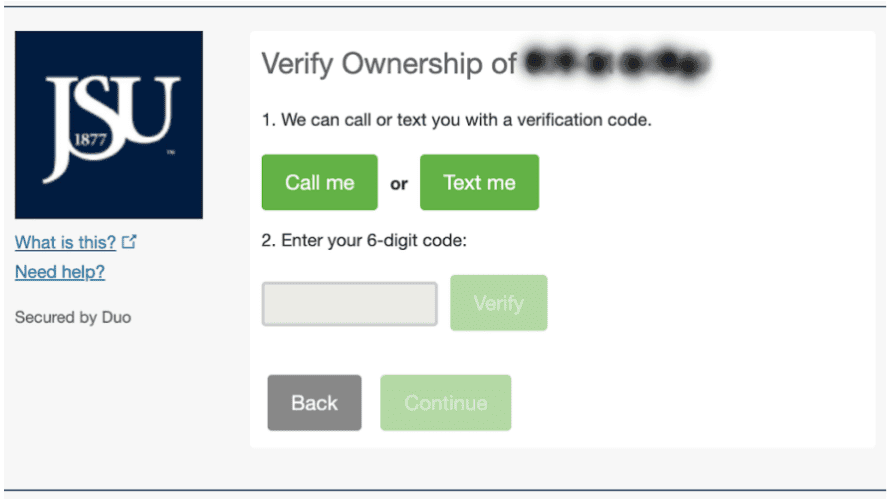
Click the Text me option. Check your mobile device for the DUO verification code then enter it in the box.
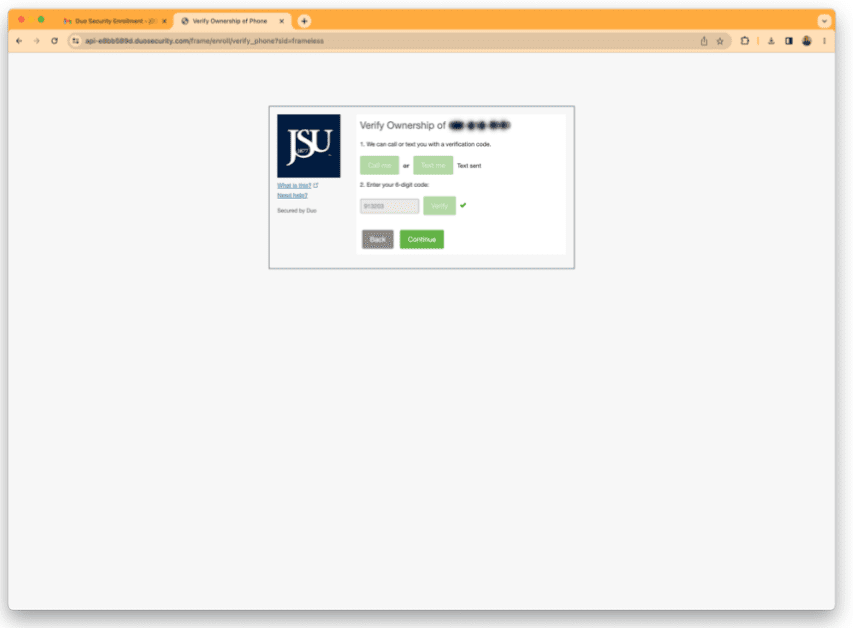
After entering the verification code, click the verify button then click the Green Continue button. This screen will be loaded.
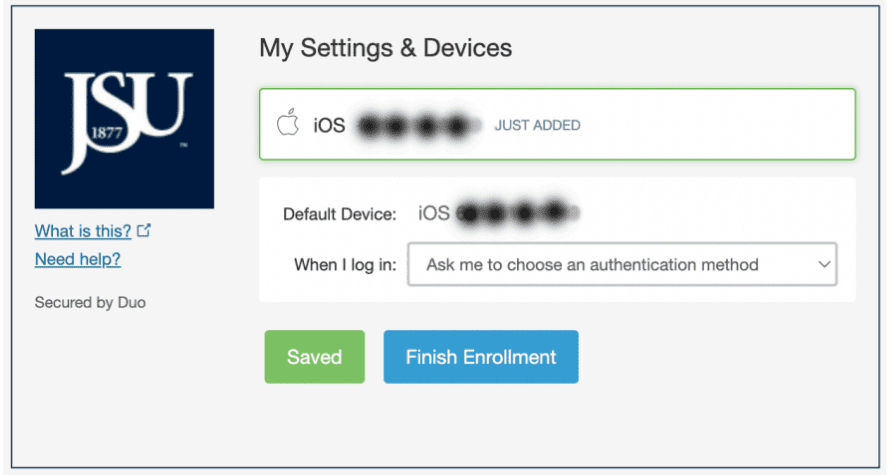
Select “Automatically send this device a Duo Push” option from the “When I Log In” section. Click the Blue Finish Enrollment button.
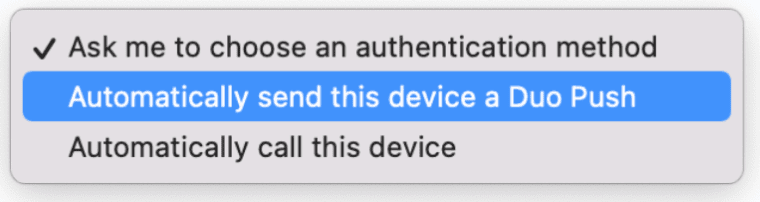
Again, select the highlighted option.
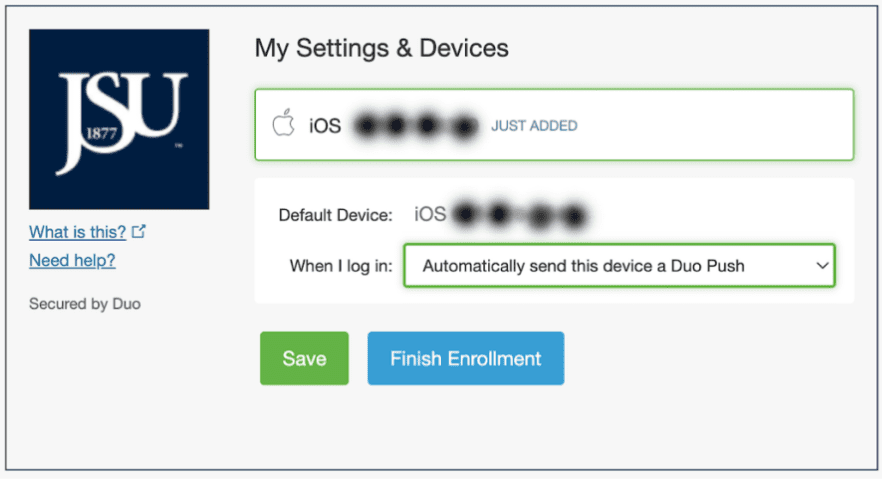
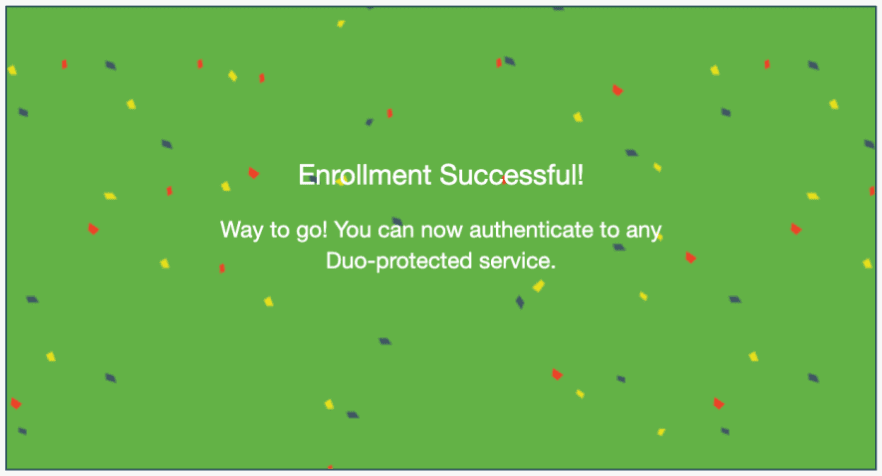
Click the Blue Finish Enrollment. Your Duo Enrollment is complete.
Activate/Reset your NETID password

Activate/Reset your NETID password.
The NETID is your J-Number and (15) character password. It is used to access User Thee Portal, Canvas, Library System, Open Access Computer Labs computers, and other university services and systems.
Click the “NetID password” link above to access the NetID password reset page as shown just below.
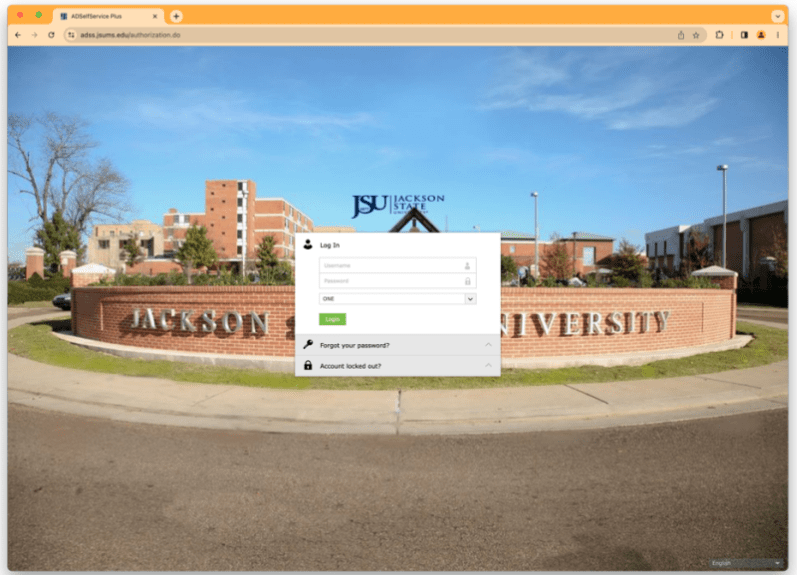
Click the “Forgot Your Password” button.
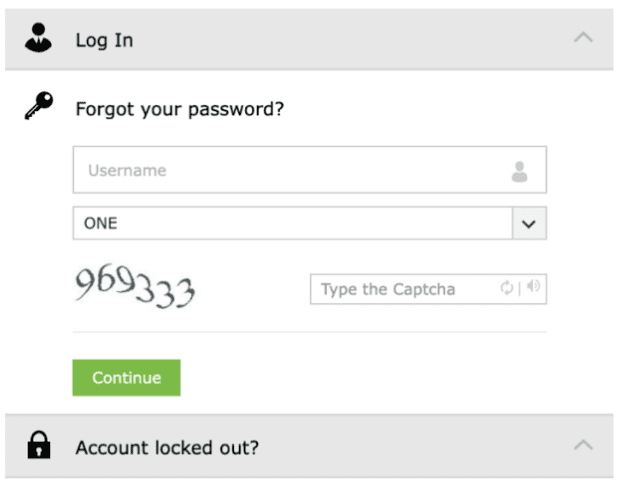
Enter your J-Number in the Username box.
Enter the Captcha in the captcha box then click the Continue button.
You will be required to authenticate via DUO Security or JSU Email. Enter the 6-digit characters in the dialog box then click the continue button. (See the image just below)
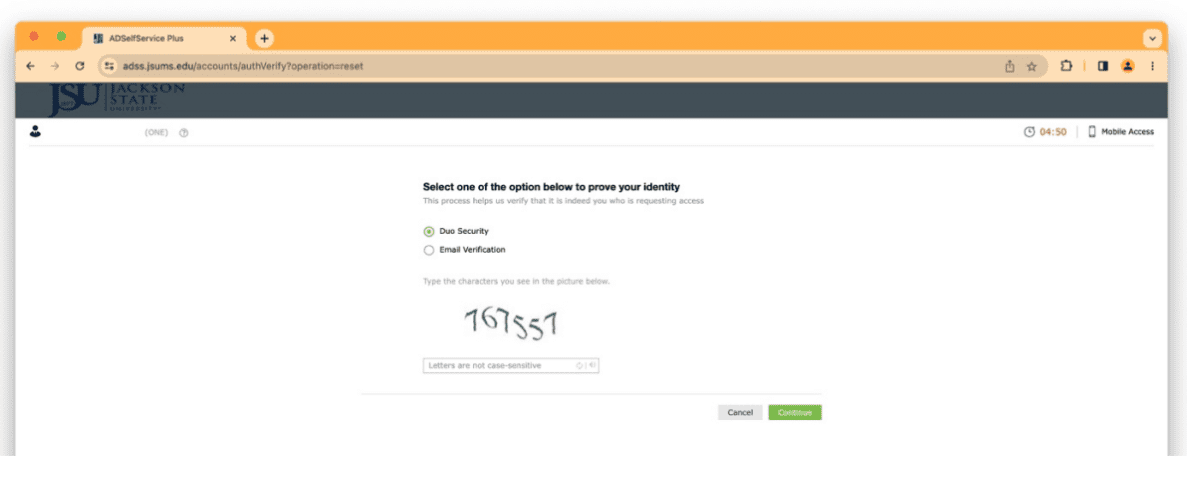
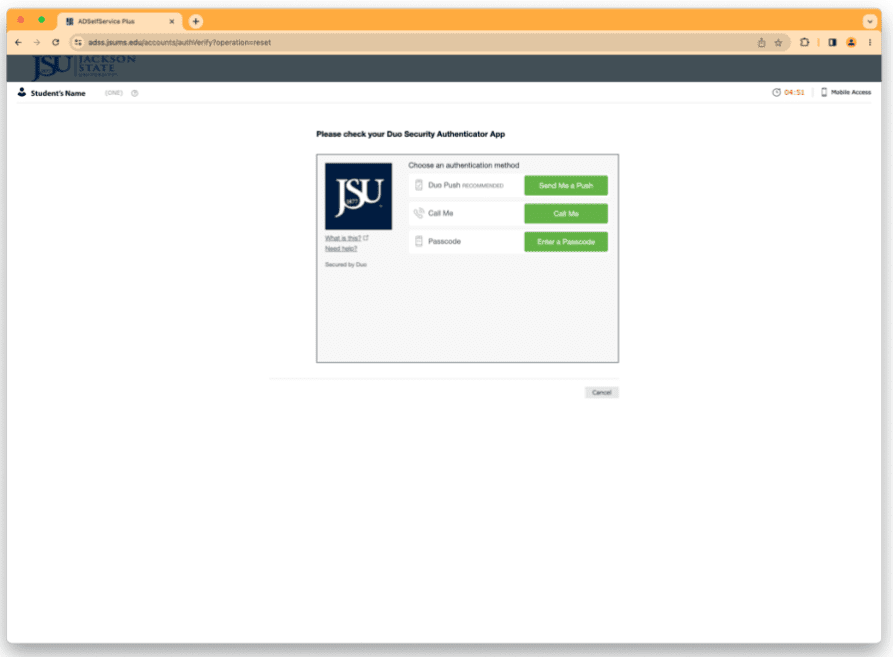
Click the option you would like to use to authenticate and respond accordingly with your mobile device.
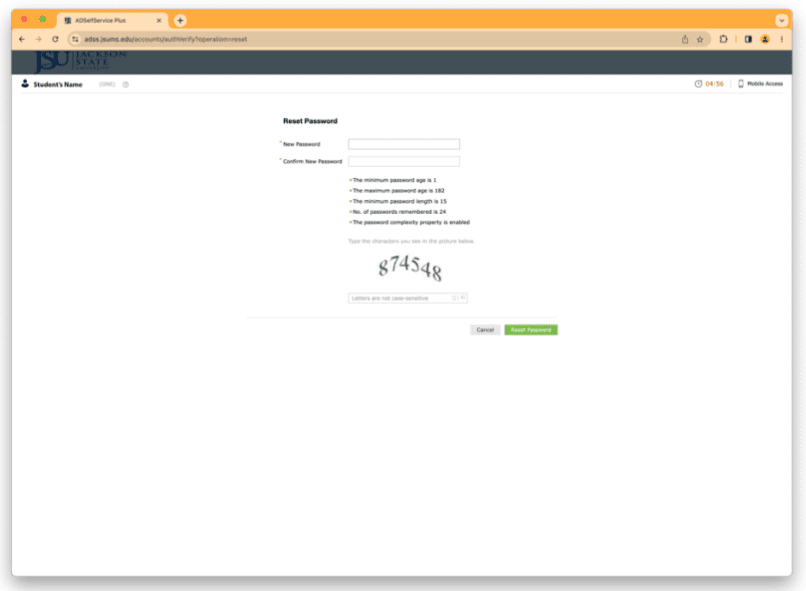
Enter your (15) character NetID password in both the New Password and Confirm New Password boxes.
NOTE: Your (15) character NetID password should include:
- At least one capital letter
- Special Character (!@#$%^&*,+?><)
Avoid using your name, social security number, date of birth, or J-Number. Examples: GO!!!Tiger092022, tiGer@09Roc%Special, t1geR@DTD9@#Djmj, tIger09!MonkYour
Enter the 6-digit characters in the third box and then click the Reset Password button.
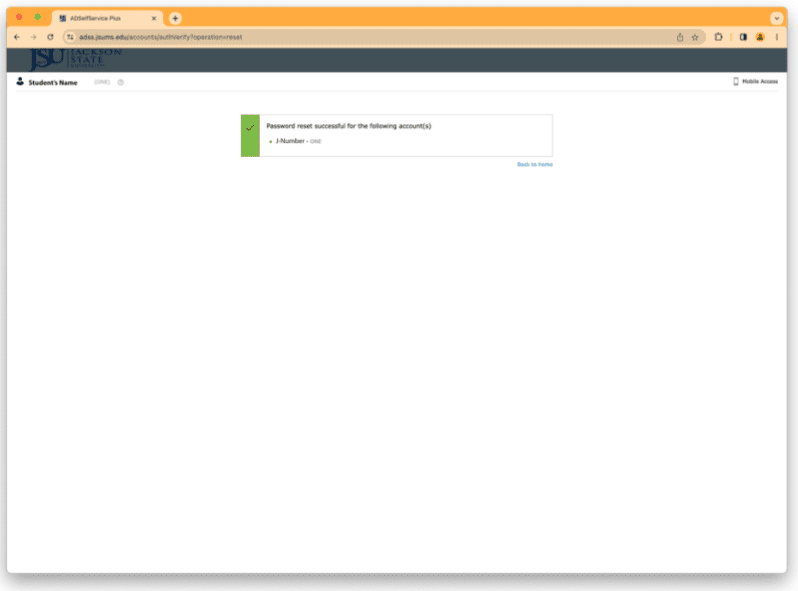
Your NetID password has been reset.
Quick links

Premier IT services
IT services refer to the various types of support and assistance that organizations provide to users of computer and information technology systems. These services can be provided in-house by a company’s IT department, or they can be outsourced to a third-party vendor.
Some common types of IT services include:
Help desk support
Provides assistance to users who are experiencing technical issues or have questions about how to use certain systems or software.
Network and infrastructure support
Manages and maintains an organization’s computer networks and related infrastructure, such as servers and data centers.
Cybersecurity
Protects an organization’s systems and data from cyber threats such as hacking and malware.
Cloud services
Provides access to data storage and computing resources through the internet, rather than via on-premises hardware.
Software development
Designs, creates, and maintains custom software applications for an organization.
IT services can be provided on a one-time or ongoing basis, and may be purchased on a pay-per-use or subscription basis. It is important for organizations to have reliable IT support in order to ensure the smooth operation of their systems and to protect against potential cybersecurity threats.
IT software

Office 365
Available to:
Faculty, Staff, Students
Location:
Campus, Home

SAS
Available to:
Faculty, Staff, Students
Location:
Campus, Home

SPSS
Available to:
Faculty, Staff
Location:
JSU Computers, JSU Lab computers

MATHEMATICA
Available to:
Faculty, Staff, Students
Location:
Campus, Home

ADOBE DC
Available to:
JSU Employees
Location:
Campus, Home

Contact us
1400 John R. Lynch St.
P.O. Box 17750
Jackson, Mississippi 39217